
The Short Answer: AI courtroom transcripts are only as accurate as the recording behind them. Clean audio and video give the software a strong signal to work from, while a poor capture limits every tool that runs after it, however advanced.
A new group of AI tools can take a courtroom recording and turn it into text within minutes. That speed helps courts work through crowded dockets and reporter shortages. Every one of those tools depends on the same input, the audio and video captured in the room. Feed the software a clean recording, and it has clear speech to work with. A muddy one leaves it guessing.
That same fact shapes who JAVS works with. Its new partnership with TheRecordXchange (TRX) carries a clean recording through to record management and AI-assisted transcription, covered in full below.
Recording Quality Shapes Every AI-Generated Transcript
An AI-generated transcript is only a reading of the audio the system receives. When several people speak at once, when a witness turns away from a microphone, or when a ventilation unit hums under the proceeding, the software has less to work with and the resulting text loses accuracy. Clear, multi-channel audio avoids that, which is why capture quality sets the limit on what any AI tool can produce.
Legal proceedings also carry vocabulary that trips up general software: case names, statutes, and the case number tied to each matter. Clean, separated audio gives the AI its best chance at those terms.
Andrew Green, president and CEO of Justice AV Solutions, states the principle directly: “If the audio is garbage, the record is going to be garbage.” JAVS treats the recording as the foundation that every later step, including the AI layer, depends on.
How JAVS Microphones Capture Clear Audio
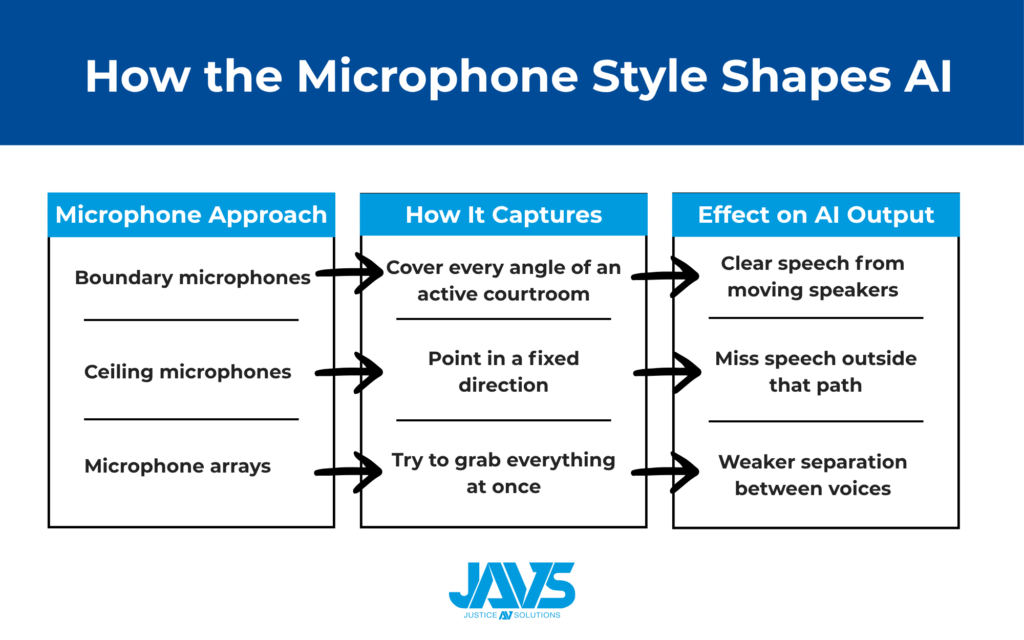
Courtroom speech does not hold still. Attorneys walk to the jury box, approach the witness, and step away from the table while they are still speaking for the record. JAVS places boundary microphones in set zones around the room, so the system picks up speech from every angle rather than one fixed line.
Each JAVS microphone holds a DSP inside the unit that controls its polar pattern, and staff can switch that pattern at the touch of a button to match the moment. These microphones are tuned for the human voice, not for music or distant sound, which keeps recorded speech tight and clean. As Green puts it, “When you take that feed into your AI system to create captions, it is far more accurate than trying to do it with traditional microphones.”
The microphone style a court chooses shapes what any AI layer can do with the result.
| Microphone approach | How it captures the room | Effect on AI output |
| Boundary microphones in zones | Cover every angle of an active courtroom | Clear speech from moving speakers |
| Ceiling microphones | Point in a fixed direction | Miss speech outside that path |
| Microphone arrays | Try to grab everything at once | Weaker separation between voices |
Speaker Identification Still Challenges AI
When the audio is clean, the AI can comprehend the words significantly better. Attributing those words to the right person, however, is the harder problem. Software can capture what was said, but it struggles to tell who said it, and in a court record, that gap can have real consequences. A statement means one thing from a witness and another from counsel, so an AI-generated transcript that misattributes speakers can misrepresent the entire proceeding.
JAVS closes the gap with speaker labeling tied to the microphone inputs in the room. When the system detects the judge speaking, it tags that input and timestamp, and the label becomes searchable after the session.
Paired with the video record, court staff and attorneys can confirm a speaker on screen instead of settling for a flat page of text. Kentucky has treated the video record as the official record on appeal since 1989, which shows the model is workable at scale.
How AI-Generated Transcripts Differ From the Official Record
Having a certified transcript means having a professional who reviews the text and stands behind its accuracy. Software that produces text on its own creates an AI-generated transcript, which is a useful draft rather than a certified court transcript. The official record still rests on the recording itself, and in states using the video record, on that video and audio capture.
That distinction is a reason to invest in capture quality first. A clear digital recording supports a fast AI draft for immediate reference and a certified transcript later when a court reporter or transcriptionist reviews it. Both paths start from the same audio.
The JAVS and TheRecordXchange Partnership
Capturing a clean recording is the first job. Managing that record afterward, handling transcript requests, and turning it into text is the second. JAVS now partners with TheRecordXchange (TRX) to connect the two: JAVS handles capture in the courtroom, and TRX adds a web-based layer for record management, transcript requests, and AI-assisted transcription, all working from the recording a court already trusts.
The draw for a court is practical. The partnership builds on the JAVS system already in place rather than replacing it, so the capture hardware stays and the court gains modern tools for handling the record once a proceeding ends. Both companies answer directly to the courts they serve, which matters more as the courtroom AV field consolidates.
Steve Townsend, chief product officer at TheRecordXchange, frames the same principle from the AI side. He points to the features courts are counting on: “Features such as semantic search, automated summaries, case identification, and redaction of protected information all rely on that transcript being accurate, and transcript accuracy depends on the quality of the recording.”
Each of those features depends on the transcript, and the transcript depends on the audio behind it. A word the speech-to-text engine never captured cannot appear in a search index or a case summary later, regardless of how capable the tool is. That is why Townsend puts capture at the center of a court’s AI planning: “Capture quality sets the limit on how effective a court’s AI strategy can be. Investment in audio capture is the best AI investment a court can make.”
Addressing the Court Reporter Shortage
Courts across the country are short on court reporters, which delays proceedings and strains scheduling. A well-built recording system offers a practical answer. Once microphones and cameras are in place, the setup runs without a dedicated operator. Someone starts it at the beginning of the day and stops it at the end, and the system captures the proceeding on its own.
The economics are straightforward. These systems typically cost less than a court reporter’s salary, and a court often pays one off within the first year, then runs it for roughly a decade on a small maintenance fee. For an administrator who has just lost a reporter, it keeps the docket moving without a gap in the record.
Capturing Evidence and Video, Not Just Audio
An integrated JAVS system records more than voices. A document camera and laptop connections let the court fold evidence shown during a proceeding into the record itself, so an exhibit and the testimony about it live in the same file. Case management integration links the recording to the case number and session, which makes later retrieval a matter of a search rather than a hunt through storage. For a court administrator, the digital recording, the evidence, and the court file are connected from the start, not stitched together afterward.
Improving Courtroom Accessibility
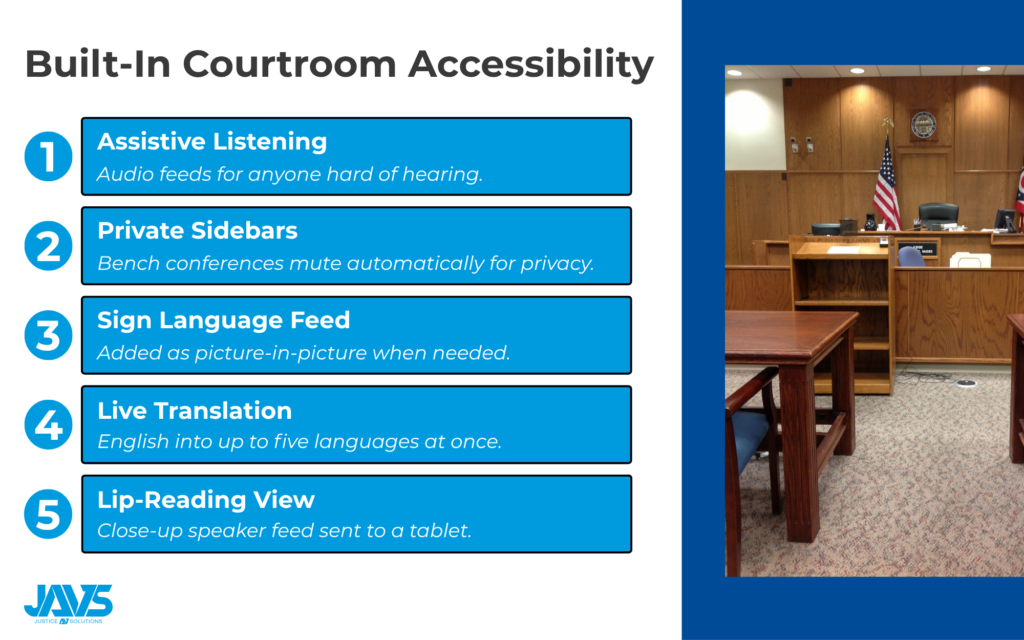
The same capture quality that helps AI also helps people in the room follow along. JAVS built accessibility into the audio and video chain:
- Assistive listening feeds for participants who are hard of hearing
- Automatic muting of bench conferences, so private discussion stays private
- Sign language shown as a picture-in-picture feed when needed
- Live AI translation of English into as many as five languages at once
- A close-up video feed to a tablet for anyone reading lips alongside the captions
Each of these runs on top of the recording, so clear audio and video in the room is what makes them work.
What to Look for in a Court Recording System
A court buys this equipment once every seven to ten years, so the choice has to last. These features separate a recording built for AI and long-term use from one that will hold a court back:
| Feature | Why it matters |
| Multi-channel audio | Isolates each speaker when voices overlap |
| Purpose-built voice microphones | Feed AI clean speech for accurate captions |
| Record indicator lights | Show the room when capture is active |
| Sidebar mute controls | Keep bench conferences off the record |
| Web-based software | Runs from a browser with no desktop app to maintain |
| Case management integration | Ties every recording to its case number |
| Speaker labeling | Marks who spoke and when, and stays searchable |
| Non-proprietary files | Play on any computer, anywhere |
JAVS Suite 9, the company’s web-based platform, pulls these together. A staff member opens a browser, enters the recorder’s address, picks the session from the case management system, and presses one button to record. The workflow stays out of the way on purpose. Court staff already track the docket, exhibits, and the people in the room, so a system that demands constant attention becomes a liability. Running from a browser also means no desktop software to maintain on each machine, and a court can upgrade one room at a time without breaking compatibility with the rest of the courthouse.
Why Courts Choose JAVS
For more than 40 years, JAVS has built courtroom recording systems with one aim, a record clear enough to trust. Purpose-built boundary microphones capture each speaker on a separate channel, and the recording is engineered for courts, not adapted from general AV gear.
That clean capture is what makes the AI layer useful. On top of it, JAVS systems provide:
- Real-time captions on screen during proceedings
- Speaker labeling tied to each microphone input
- Searchable, time-stamped records for finding any moment fast
- Live translation when more than one language is in the room
- Consistent accuracy even with accents and legal terminology
JAVS handles consultation, installation, training, and maintenance in-house. Its partnership with TRX then carries the record past capture into management, transcript requests, and AI-assisted transcription.
To talk through what a recording system would look like in your courtroom, reach out to JAVS for a free consultation.