Find the Right Training for Your Courtroom
JAVS training resources are available for both Suite 9 and Suite 8 users, so your court can onboard new staff, learn new features, or refresh existing skills. Court recorder training is built around courtroom workflows and day-to-day operations, which helps your team capture the record with confidence.
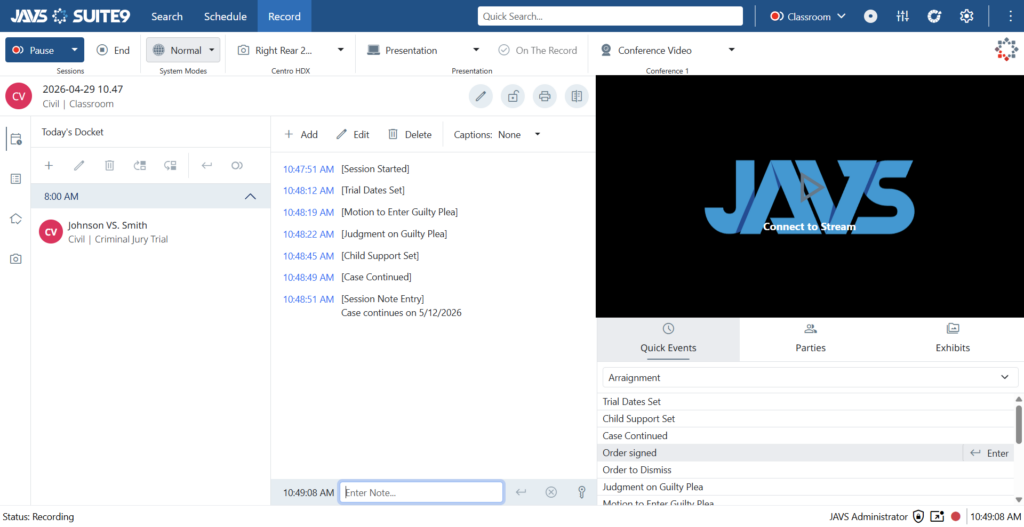
Suite 9
Training for the Latest JAVS Platform
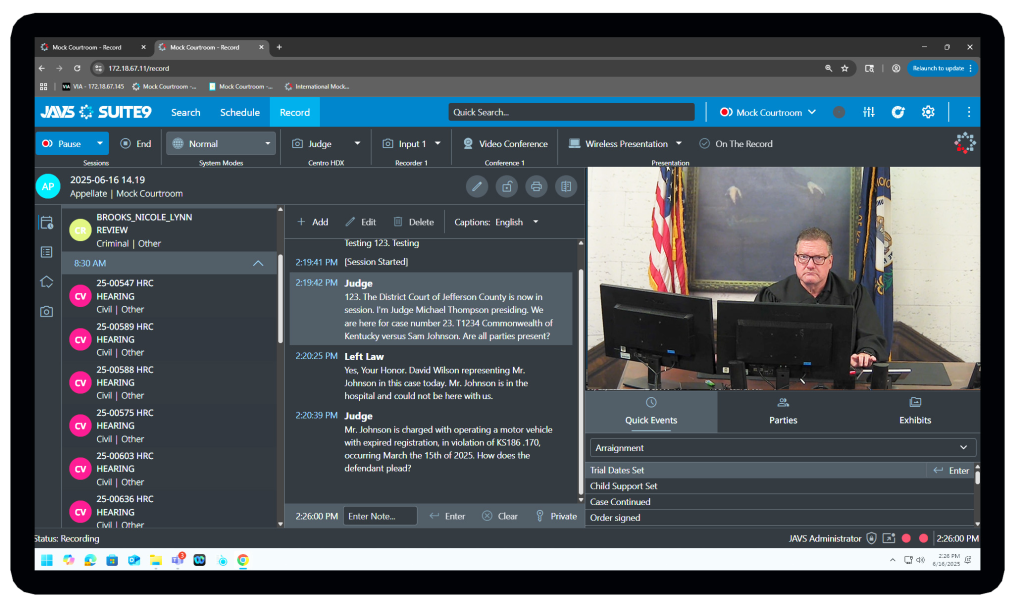
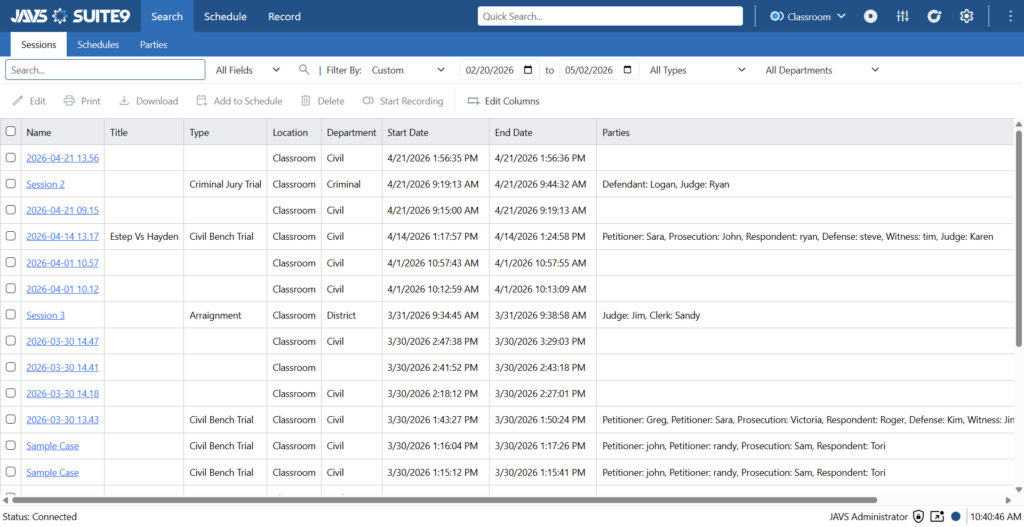
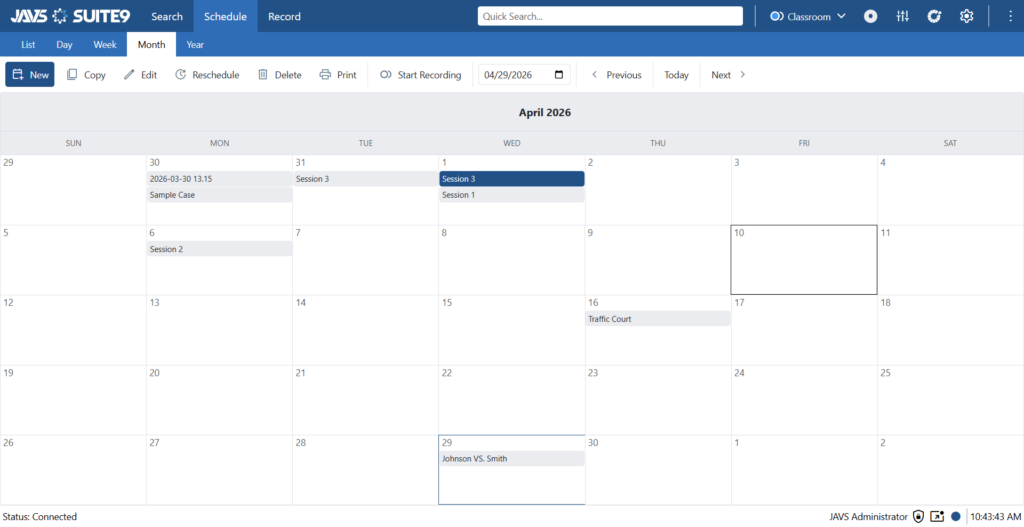
Access training resources for Suite 9, including recording, transcription, session management, publishing, administration, and new features. Suite 9 provides a unified platform for courtroom recording and workflow management. Suite 9 is our newest web-based platform, and training covers the newer tools it adds, including real-time captioning, editable Word transcript output, and live translation into more than 30 languages. These tools give digital reporters and legal transcriptionists a strong starting point for the official transcript, which a certified electronic reporter or other qualified person reviews and finalizes.
Video Resources Now On YouTube!
Click Here for Suite 9 Playlist
Download the Suite 9 Quick Start Training Guides Below.
Click Here for Suite 9 Record Guide
Click Here for Suite 9 Schedule Guide
Click Here for Suite 9 Search Guide
Suite 8
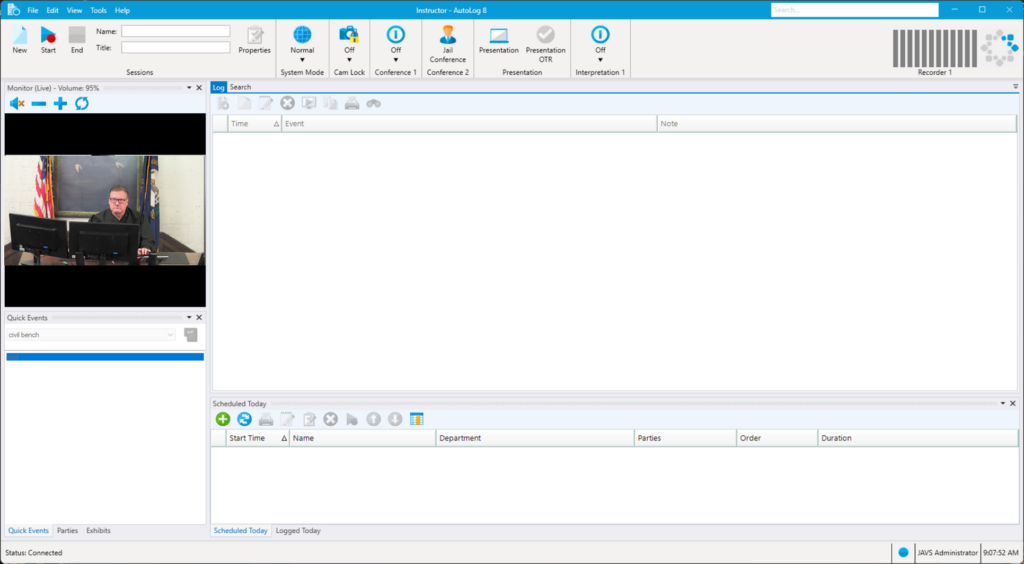
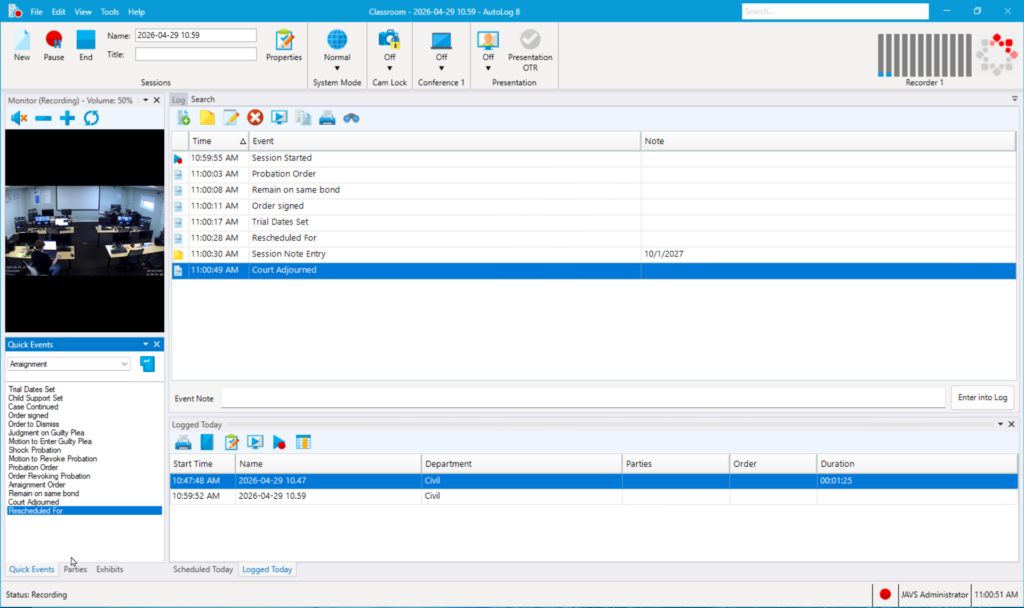
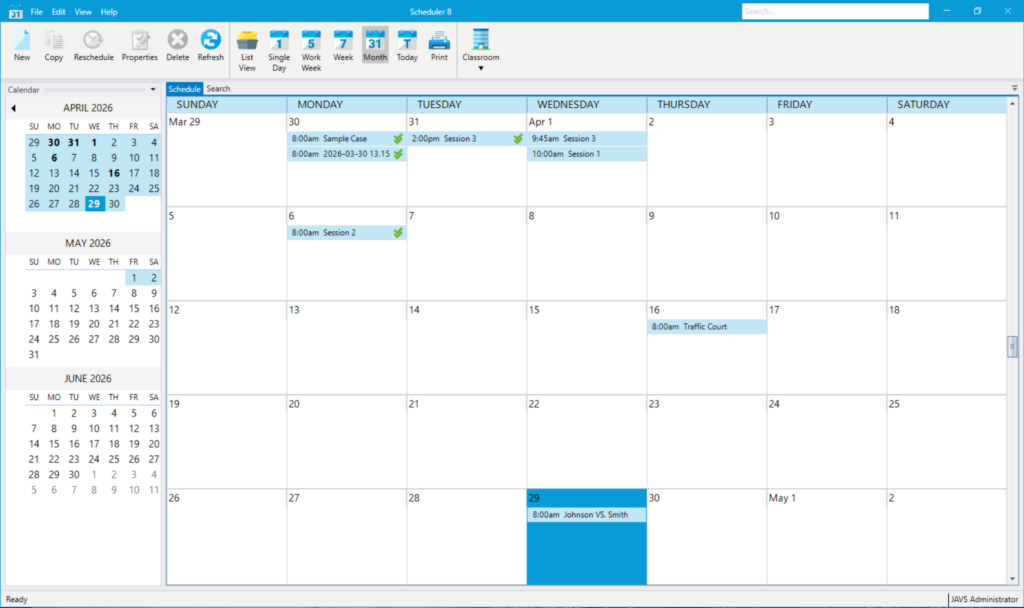
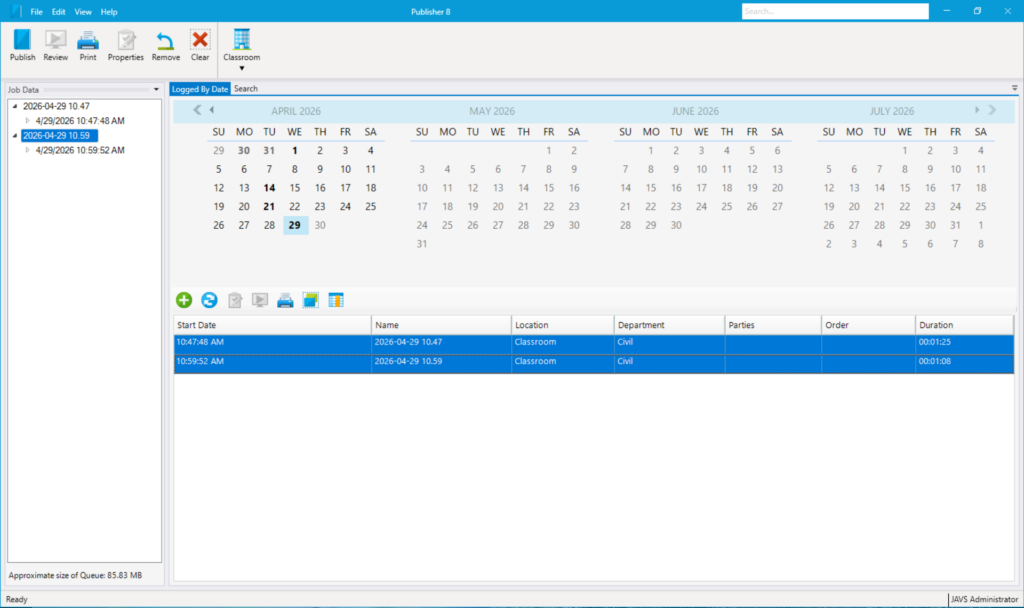
Access training resources for Suite 8, including the Autolog 8, Scheduler 8, and Publisher 8 software. Access training resources for Suite 8, including the Autolog 8, Scheduler 8, and Publisher 8 software. Suite 8 is widely used across courts, so our training covers the daily workflow in depth, including logging with Autolog 8, scheduling with Scheduler 8, locating sessions with Finder 8, and publishing the record with Publisher 8. Hands-on instruction walks operators through JAVS Suite 8 module by module, so both new hires and experienced staff can run the software with confidence.
Suite 8 Video Resources Now On YouTube!
Click Here for Suite 8 Playlist
Download the Suite 8 Quick Start Training Guides:
Click Here for Autolog 8 Guide
Click Here for Scheduler 8 Guide
Click Here for Publisher 8 Guide
Learn the Way That Works Best for Your Court
Every court operates differently. JAVS training is available in formats designed to support both individual users and entire courtroom teams, at any location. Training services exist to improve adoption, reduce errors, and help courts get maximum value from their technology investment.
Self-Paced Learning
Access recorded training content anytime and learn at your own pace.
Instructor-Led Sessions
Work directly with JAVS training specialists through scheduled virtual or in-person sessions.
New Staff Onboarding
Get new employees up to speed quickly with role-based training paths.
System Upgrades & Refreshers
Stay current as software capabilities evolve and courtroom workflows change.
Training for the People Behind the Record
Capturing the official record takes more than good equipment. It takes a skilled and well-trained court staff. Court recorder training gives your digital court reporters and support staff the working skills they need, including starting a session, watching audio and video levels, marking the log, and producing a clean record of the spoken word. That record captures a live legal proceeding, including witness testimony. The instruction follows real courtroom workflows and your court’s legal procedures, so your team learns the software the way they will use it day to day.
JAVS has supported digital court reporting for more than 40 years, and the training reflects that experience. Our systems were built to help courts capture the record with digital technology, giving the modern digital reporter a dependable alternative to the traditional court reporter. Suite 8 is widely used across courts, and we maintain full training resources for it. Suite 9 is our newest platform, with new resources added for teams adopting it. Whichever your court runs, we help your staff operate it with confidence.
Take the Next Step Toward a Confident Court Team
Ready to get your court staff up to speed on JAVS Suite 8 or Suite 9? Contact us to learn more and let our team help you find the right training path for your courtroom.
Our Solutions
JAVS designs and manufactures courtroom AV equipment, including microphones, HD cameras, and digital mixers, built for audio and video clarity.
Our web-based software controls your courtroom AV system from a single interface, simplifying recording and video conferencing for court staff.
Our team provides full support for your courtroom technology, including professional installation, training, and ongoing maintenance.
Frequently Asked Questions

Preserving the Record for Tomorrow’s Justice System
JAVS is happy to help with your AV needs.