
Short Answer: A digital evidence solution is a courtroom AV system that captures audio, video, and any evidence displayed during a proceeding as part of the official court record. Unlike traditional text-based transcripts, which can only reference that an exhibit was shown, an integrated digital evidence solution preserves the actual content, including video clips, documents, photographs, and audio recordings, in a single searchable file.
Every court proceeding produces a record, and that record carries weight long after the hearing ends. Appeals, post-trial motions, and case reviews all rely on the completeness and accuracy of what was captured during the original proceeding. For decades, the court record consisted primarily of text: a stenographic transcript or written notes from a court reporter. But as courtrooms handle more digital evidence, video testimony, and hybrid appearances, the traditional text-based record often tells an incomplete story.
Digital evidence solutions address this gap by capturing not just spoken words but also the visual and audio evidence presented during a proceeding. When a prosecutor plays a surveillance camera clip, when an attorney displays a photograph on a monitor, or when a witness references a document on screen, those moments need to be preserved as part of the official record. Without the right technology, they can be lost entirely.
Where Traditional Court Recording Falls Short
Text-based records have served the justice system for more than a century. Court reporters listen to testimony, transcribe it in shorthand, and produce a written document that becomes the official record.This method captures the spoken word effectively, but it has clear limitations when evidence goes beyond speech.
What a Text Record Cannot Fully Capture
Consider what happens during a typical proceeding when an attorney presents visual or audio evidence:
- A law enforcement officer plays body camera footage showing the scene of an incident.
- An attorney uses a document camera to display a contract with handwritten notes in the margin.
- A forensic investigator shares a digital photograph of evidence collection from a crime scene.
- A public defender plays an audio recording from a surveillance system.
In each of these scenarios, a traditional transcript can note that evidence was presented, but it cannot reproduce what the courtroom actually saw and heard. The transcript might read, “Exhibit 4 was shown to the jury,” but it does not preserve the content of Exhibit 4 within the record itself.
This creates a gap. If an appellate court needs to review the full record, it may lack the actual evidence that was shown during trial. The more courts rely on digital devices, video evidence, and electronic evidence in criminal cases, the wider this gap becomes.
Common Limitations of Conventional Methods
| Limitation | Impact on the Court Recordy |
| Text-only capture | Visual and audio evidence is referenced but not preserved |
| Single-channel audio | Crosstalk between speakers can be difficult to attribute |
| No video component | Nonverbal courtroom events go unrecorded |
| Manual annotation | Evidence exhibits are logged by hand, increasing the risk of errors |
| Limited playback options | Reviewing specific moments requires manually searching through audio files |
How Digital A/V Recording Changes the Court Record
Digital audio and video recording systems capture proceedings across multiple channels simultaneously. Purpose-built microphones record each speaker on a separate audio track, while cameras capture the visual record of who is speaking and what is being displayed.
The key advantage for evidence presentation is this: when a court’s recording system is integrated with its evidence display technology, any digital evidence shown during the proceeding is captured directly into the record. A document displayed on a courtroom monitor, a video clip played for the jury, or an image projected from an attorney’s laptop all become part of the recorded file. The record is no longer limited to words on a page.
What Gets Captured in an Integrated System
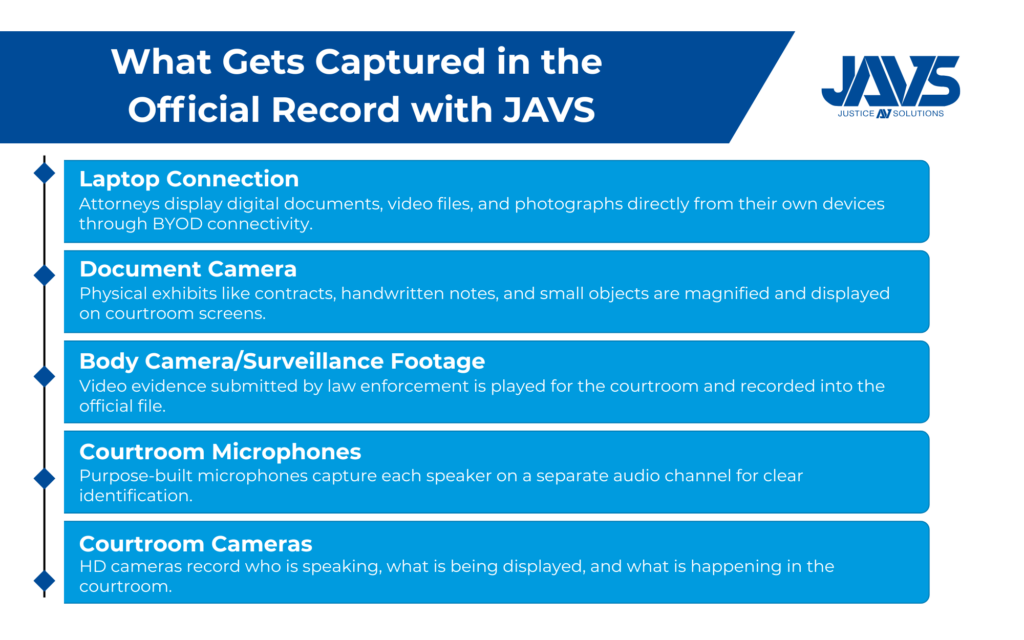
An integrated digital evidence solution can include the following in the official record:
- Multi-channel audio from microphones at the judge’s bench, witness stand, counsel tables, and podium
- Video feeds from courtroom cameras showing speakers, exhibits, and the gallery
- Digital documents, photographs, and diagrams displayed through laptop connections or a document camera
- Video evidence played during testimony, including footage from surveillance cameras, body cameras, and digital devices
- Annotations made on a touchscreen during evidence presentation
All of this is synchronized and time-stamped, which makes it possible for authorized users to search for a specific moment in the record by case number, date, or keyword.
What Courts Should Look for in a Digital Evidence Solution
What Courts Should Look for in a Digital Evidence Solution
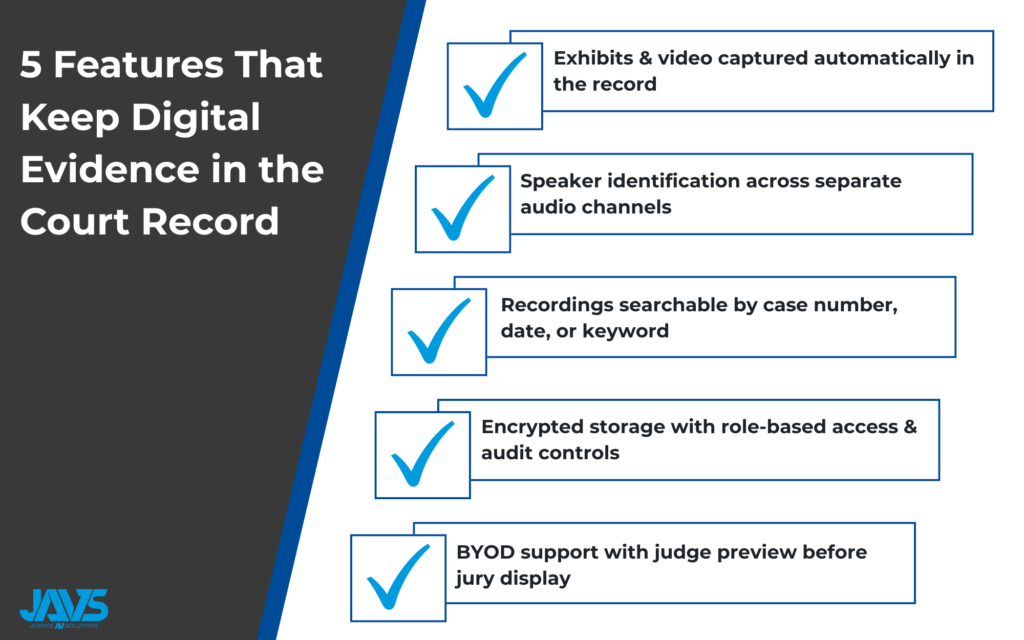
Not every AV system is designed for the courtroom. Commercial presentation systems built for conference rooms or classrooms lack the security, recording redundancy, and evidence-handling features that justice agencies require. Courts need an innovative solution built specifically for the courtroom. Court administrators and operators evaluating a digital evidence solution should prioritize:
- Recording and evidence capture integration that automatically includes any displayed evidence in the official A/V record
- Multi-channel audio with dedicated microphones and channels for each speaker position, paired with voice lift technology so every participant can hear clearly
- Evidence display flexibility that accepts input from laptops, tablets, and document cameras and routes content to courtroom monitors, the jury box, and the judge’s bench
- Judge preview capability that allows a judge to review evidence on a private display before it is shown to the rest of the courtroom
- Data security with encryption, role-based access, and secure storage to prevent unauthorized access to sensitive data tied to criminal cases and personal testimony
- Case management integration that connects recorded proceedings with existing software so records stay organized by case number
Why an Integrated Approach Matters
Law enforcement agencies submit body camera footage and surveillance video as standard practice. Attorneys present electronic evidence from personal devices. Remote witnesses testify through hybrid courtroom setups. Each of these moments adds visual and audio content that belongs in the court record.
Federal courts are already formalizing these expectations. The U.S. Bankruptcy Court for the District of Maryland issued a revised protocol in May 2025 requiring all exhibits to be displayed electronically. The protocol also states that the court’s own recording is the only authorized record of the proceeding. If a court’s evidence display and recording systems are not connected, exhibits shown on screen may not be captured in the official record at all.
For court administrators and operators, the priority should be integration. The recording system, the evidence display, the microphones, the cameras, and the software should all work together so that nothing presented in the courtroom falls outside the record.
Making the Right Choice for Your Courtroom
Courts that still treat recording and evidence display as separate systems face a growing problem. As more proceedings involve digital evidence, video testimony, and hybrid participants, the gap between what happens in the courtroom and what ends up in the official record gets wider. Choosing the right digital evidence solution means finding a system where recording and evidence presentation work as one.
The result is greater efficiency for the courthouse, greater flexibility for the people who use it, and a system better positioned to uphold due process across every proceeding.
Why JAVS

Justice AV Solutions (JAVS) has been building courtroom-specific recording technology for more than 40 years, with systems installed in over 10,000 courtrooms across the United States and in 17 countries. When an attorney connects a laptop, when a document camera displays a physical exhibit, or when video evidence is played for the courtroom, that content is recorded directly into the official A/V record. There is no separate step and no second system to manage.
JAVS systems are built to handle every layer of courtroom AV in one platform:
- Recording and capture: Multi-channel audio and video recording that automatically includes any displayed evidence in the official court record
- Evidence presentation: BYOD connectivity and document camera support let attorneys present from their own devices to courtroom monitors, the jury box, and the judge’s bench
- Transcription and captioning: AI-powered transcription and real-time on-screen captions generated directly from the recorded audio
- Courtroom control: A touchscreen interface gives judges direct control over recording, evidence display, and AV routing
All recordings are stored with encryption and are searchable by case number, date, or keyword, which simplifies retrieval for appeals, case resolution, or public records requests.
Contact us today for a free consultation to discuss how a digital evidence solution can support your court’s record.